
Issue displaying table record
9 回复985 浏览
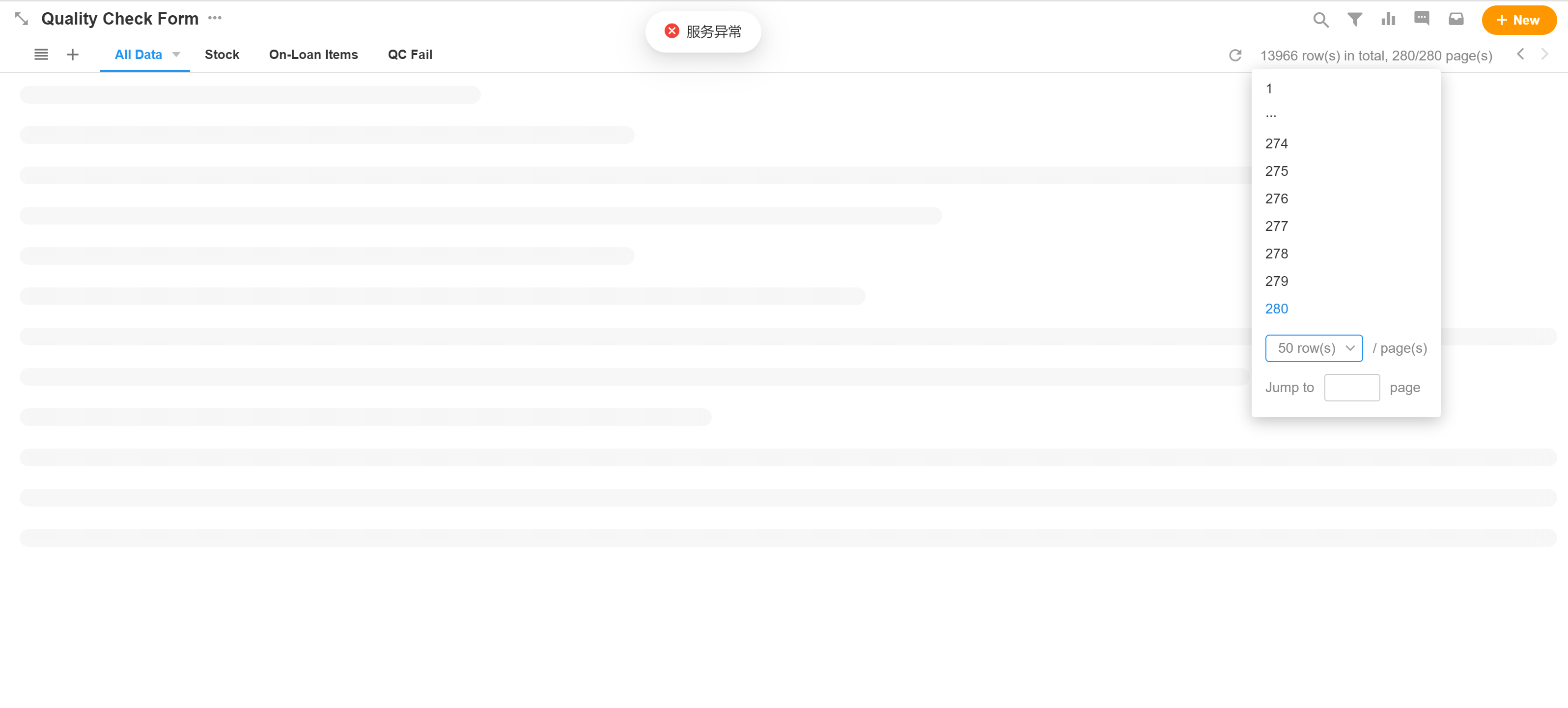
I have a table with about 14000 records as below. The latest 8200 records can be viewed without any problems in table view. However when I tried to browse beyond the latest 8200 records, this error message as below is shown. If I search and filter to retrieve the earlier records, it can still be accessed. It is just that I can't view it in table view.
For information, I do have larger tables with about 30000 records that I'm able to view without any problems. I have also noticed that if I try to create a search acceleration index for this table, it will also give a backend error without completing the task. What could be the issue that this error is displayed?
Hi, you are right. When I used the system Date Created column, it can sort properly with a 32Mb sorting RAM. But when I choose another field, even an indexed one, it run into the memory error again.
I guess at this moment I can use the Date Created first, however I'm looking into your solution no 2 which I have looked around too, and run into the same problem as you. I can't find the documentation for the environment variable as well.
As for solution no 3, I have to agree that it is very impractical and difficult to maintain.
Thank you very much for the help!
我在 SaaS 官网复现了你的现象,我这边有个表是 60+ 字段,如果我按照自己定义的字段做为排序,那么就出现了如下的错误
![image.png]()
调整下排序字段,改为系统自带的时间字段,推测是 mingdao 默认会增加这些字段的索引,是不会报错
![image.png]()
尝试对【签署日期】字段设置了降序索引,设置成功后,就不会再出现报错了。
![image.png]()
总结下:
服务异常的报错,通过设置排序索引,可以解决internalQueryExecMaxBlockingSortBytes参数,查看了下官方文档,暂时没有看到这个参数可以由配置文件去定义mongod --setParameter internalQueryExecMaxBlockingSortBytes=63554432。不是非常推荐这么做,不好维护To recap the solution below, apparently the setting is reverted back to original once the server is restarted. Is there any way to make the RAM size increase permament?
I have created an index for the table, but apparently it still have memory error issue when doing sorting. I'm surprised that I don't have issue with other tables with more data. I'm not sure if it is because this table has almost 60 over columns, causing this issue to happen.
顶级外援
I managed to solve the issue by temporarily increasing the MongoDB sorting RAM by using the command
db.adminCommand({setParameter: 1, internalQueryExecMaxBlockingSortBytes: 63554432})This effectively double the RAM available for me. I will now create the index and will reduce it back to 32MB once the index is created successfully.
Thank you for the help!
根据你的错误日志,问了下 GPT,看样子就是 MongoDB 的内存不够了导致的,如下图所示:
![image.png]()
另外,你这个部署环境,数据量是不是比较大,几万数据,对于 32G 内存部署问题应该不大,如果方便,你可以查看下 MongoDB 的情况
![image.png]()
(1)
docker exec -it script_app_1 bash -c mongostat(2)
![image.png]()
docker exec -it script_app_1 bash -c mongo然后输入db.serverStatus().memThank you for your advice. After checking the system log, it seems that the operation required more RAM than available. How do we allocate more than the needed RAM?
可以先打开【系统配置-日志】页面,然后复现上面的错误,同时观察下日志中的变化,定位到错误信息
![image.png]()
另外,创建索引的时候,如果出现错误,也可以用上面的方法
总之,先观察下日志的,从日志进一步的定位
I forgot to add, I'm using Community Edition version 4.8.1